Operating system
Windows or Mac.
64-bit Windows 10 or 11, or macOS 12 Monterey or later. Apple Silicon and Intel Macs are supported. Intel and AMD processors must support AVX2.
PGGB / System requirements
Choose Offline processing or Live playback to see the recommendations for your computer and the rest of your setup.
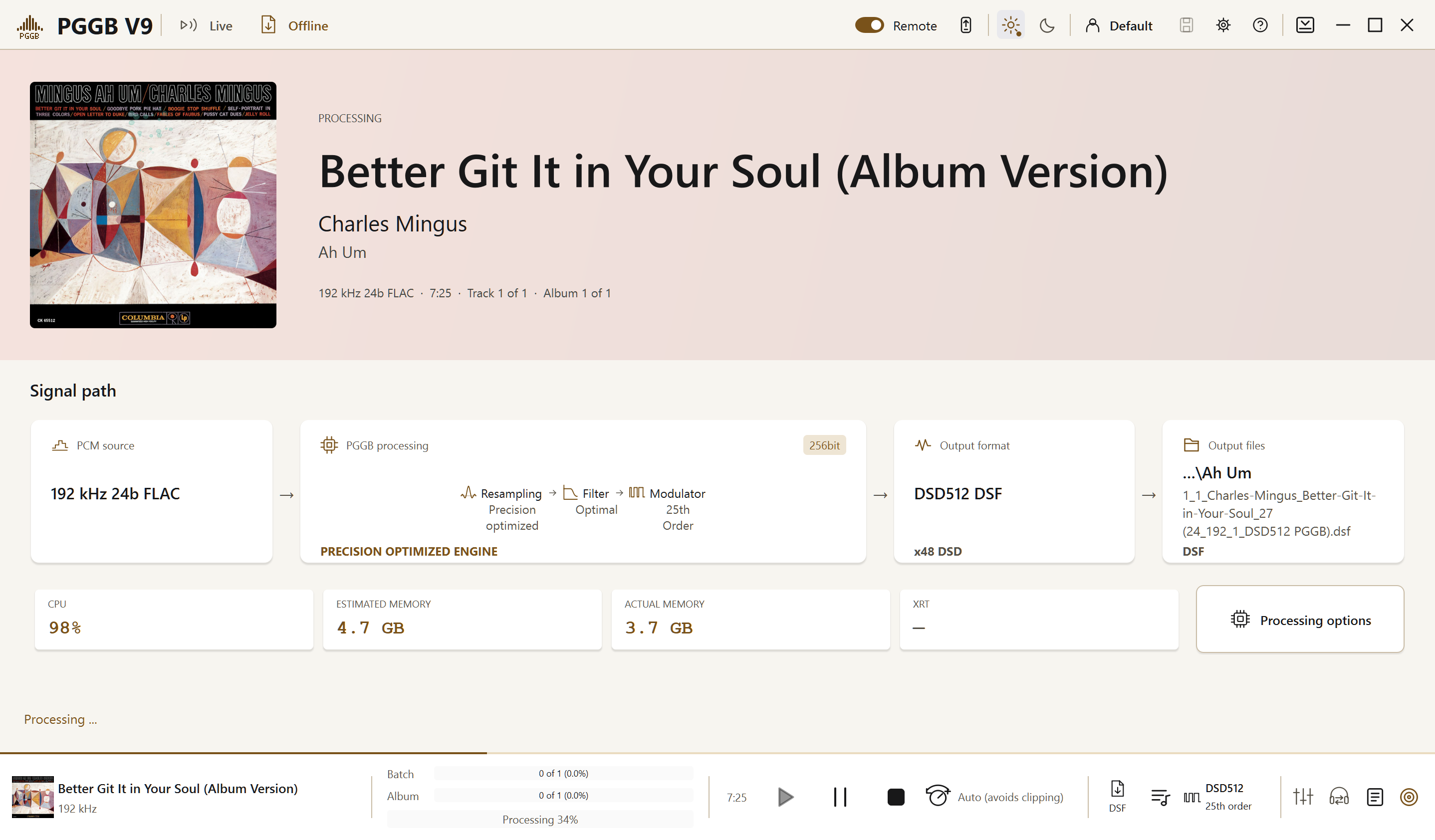
These offline-processing guidelines use the default Precision Optimized Upsampling Engine with Precision optimized selected. Memory use does not grow with track length, and paging space is rarely needed.
Operating system
64-bit Windows 10 or 11, or macOS 12 Monterey or later. Apple Silicon and Intel Macs are supported. Intel and AMD processors must support AVX2.
Processor and memory
A comfortable all-round system
A modern processor and a fast internal SSD are a comfortable starting point for a large library. Smaller systems can also work well.
This is a practical guideline, not a fixed minimum for every setting.
Offline PCM · up to 256-bit precision
4-core processor
A starting point for PCM processing with the default engine. More cores can shorten processing time.
Once you have enough RAM, a faster processor and faster RAM usually help large PCM batches more than additional capacity.
Offline DSD · up to DSD256
4-core processor
A starting point for DSD64, DSD128 and DSD256. Your chosen modulator also affects processing time.
Offline DSD · DSD512
At least an 8-core processor
More cores can help with demanding settings and larger libraries. The selected modulator affects processing speed.
Offline DSD · DSD1024 and DSD2048
More cores recommended
The highest DSD rates benefit from additional cores and memory, especially when you want faster processing.
Choose output rates and formats supported by your DAC and playback software. A fast computer does not change your DAC’s capabilities.
Find your DAC ↗DAC and playback requirements ↗A fast internal SSD helps with library processing. Leave room for your processed files, and provide adequate cooling so the CPU can sustain its performance, especially with turbo mode or overclocking.
Internet access is needed for installation, the trial, activation and license management.
Estimate the space for your processed library, then leave room for the originals and future albums.
Storage for upsampled files
Stereo files in the 44.1 kHz rate family. The estimate uses the file’s stored bit depth, not PGGB’s internal processing precision.
Compression assumes a 30% saving; actual file sizes vary with the music and output settings. Leave room for your originals, temporary processing files and future albums.
This selects the Nyquist-Shannon engine, which holds the whole track at working precision. Longer tracks and higher DSD rates need more RAM or paging space. Paging uses temporary disk storage for data that does not fit in RAM.
For tracks under about 12 minutes, 4 cores, 16 GB RAM and at least 128 GB free SSD paging space may be sufficient at 128-bit precision. Memory and paging requirements roughly double at 256-bit precision.
For tens or hundreds of albums, consider 8 cores, 64 GB RAM and 512 GB free paging space.
Allow at least 32 GB RAM and 512 GB free paging space up to DSD512. Requirements roughly double for DSD1024.
For large batches, 16 cores, 128 GB RAM and 1 TB free paging space provide a useful starting point.
PGGB can run on Linux inside a Windows virtual machine, given enough RAM and CPU cores. We do not recommend a virtual machine for PGGB-Live; if you try it, the virtual machine also needs access to the audio device or a network renderer.
On an Intel Mac, Live outputs PCM and Fast start is unavailable. DSD source files can play in Bypass or as PCM. Offline DSD output is unaffected.
Adequate cooling is also important for sustained performance.
The computer stays on and processes the music throughout playback.
Operating system
64-bit Windows 10 or 11, or macOS 12 Monterey or later. Apple Silicon and Intel Macs are supported. Intel and AMD processors must support AVX2.
Processor and memory
Live PCM
8-core processor
For Live PCM, we recommend an 8-core processor and 16 GB RAM.
Calibration finds the settings your computer can process in real time. Start with one familiar track and check that playback is steady.
Live DSD
Modern processor with 16 or more cores
For Live DSD, we recommend a modern processor with 16 or more cores and 24 GB RAM.
Calibration finds the settings your computer can process in real time. Start with one familiar track and check that playback is steady.
Use calibration to find the rates your computer can process in real time at your chosen settings. Higher DSD rates need more processing power, and available streaming rates also depend on your license tier.
Set up PGGB-Live ↗Offline processing at 1.25× real time means processing 75 seconds of audio in 60 seconds. It is a useful starting indication for Live; calibration checks the selected settings.
Compare licenses ↗Remote needs access to your local network in both Live and Offline modes. Live also needs network access for network rendering. Allow the relevant firewall access if prompted.
Mac Device Input: install the PGGB Bridge driver from the .pkg installer and allow audio-input (Microphone) permission when using Device Input.
Internet access is needed for installation, the trial, activation and license management.
PGGB can run on Linux inside a Windows virtual machine, given enough RAM and CPU cores. We do not recommend a virtual machine for PGGB-Live; if you try it, the virtual machine also needs access to the audio device or a network renderer.
Adequate cooling is also important for sustained performance.